Prerequisites
Make sure to install the Postgres driver for Tableau. More info: https://help.tableau.com/current/pro/desktop/en-us/examples_postgresql.htmConnect Tableau to your Peliqan data warehouse
In Peliqan, go to Connections, find the Data Warehouse tile and copy/paste your connection details: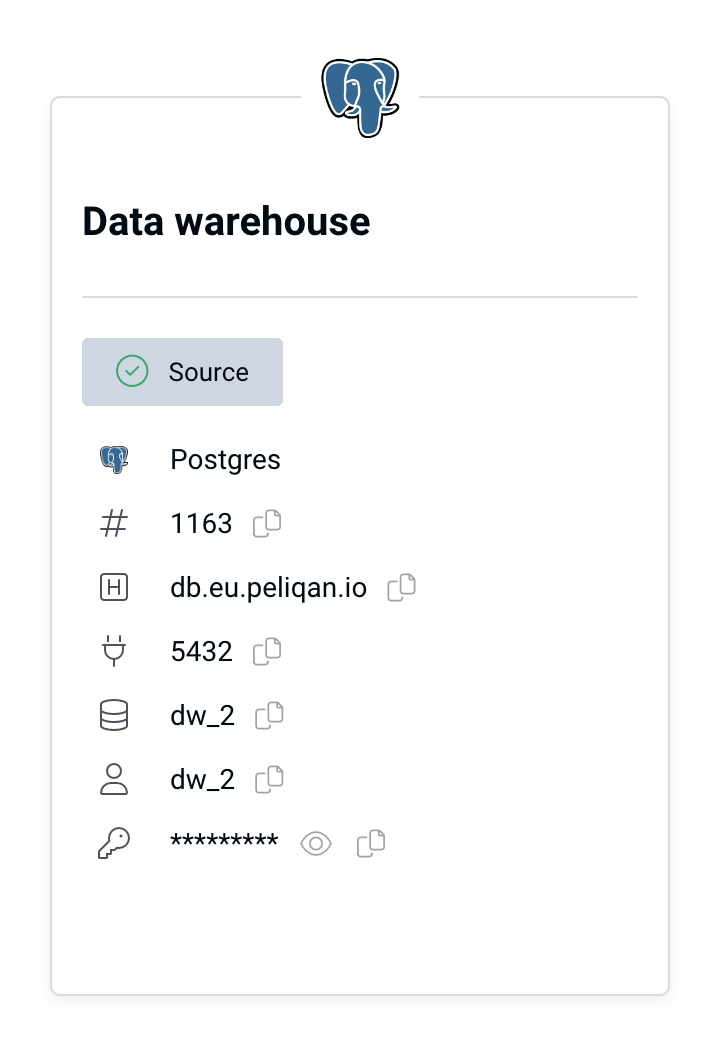
- Connection type: Postgres (default data warehouse type in Peliqan)
- Server:
- db.eu.peliqan.io
- db.mydatacloud.com
- db.us.peliqan.io
- … (check in your account under Connections > Data warehouse connection)
- User name & password: copy / paste from the Data Warehouse Connection tile (see above)
- Database name: same as the user name
- SSL: enabled
Step by step
In Tableau, click on Connect and select PostgreSQL from the list: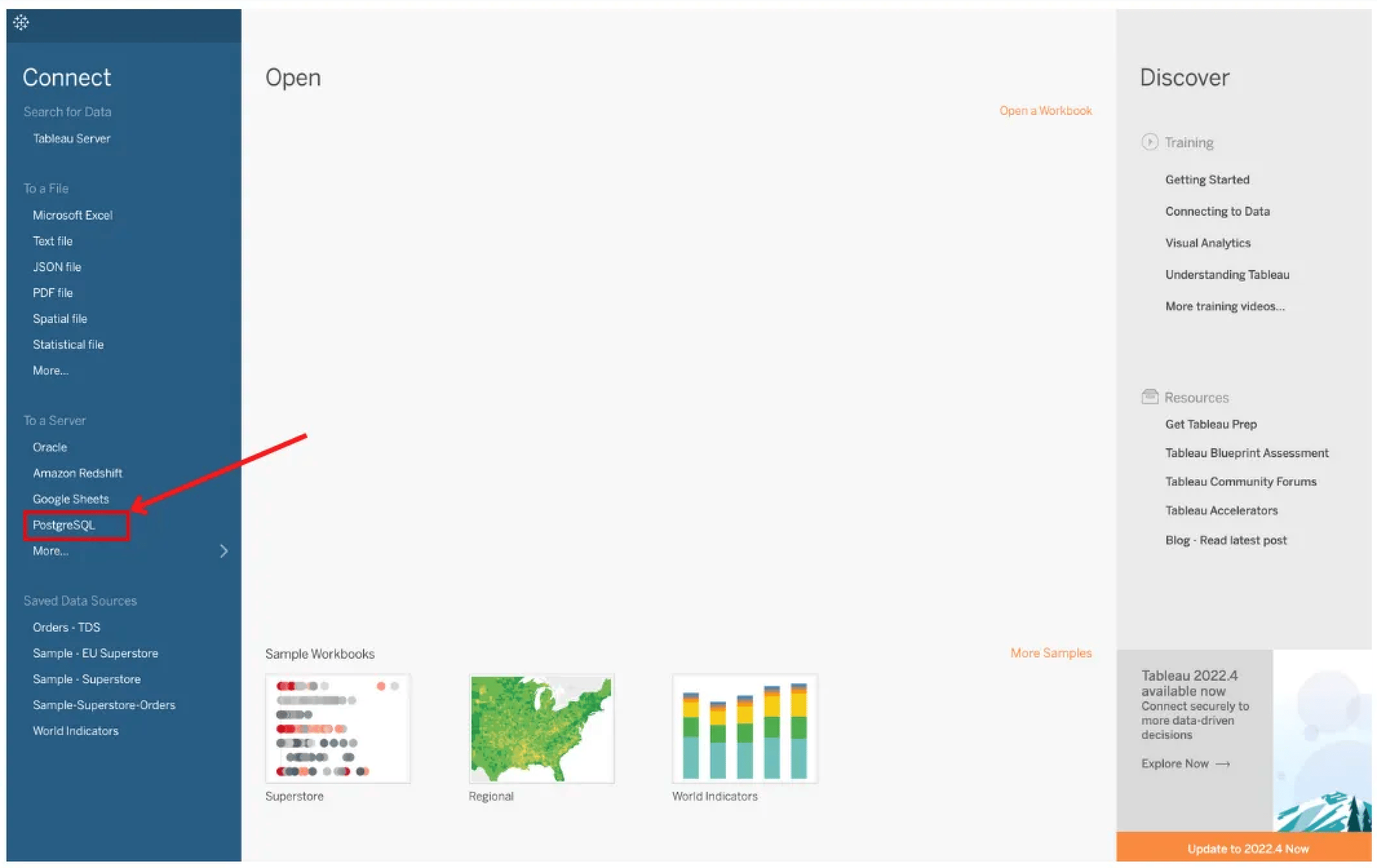
db.eu.peliqan.io and the database name. Select “Username and password” for Authentication and paste the user name and password from above.
Finally click on “Sign in”.
On the data source page, select a Tables to use in Tableau. You can now build charts in Tableau: