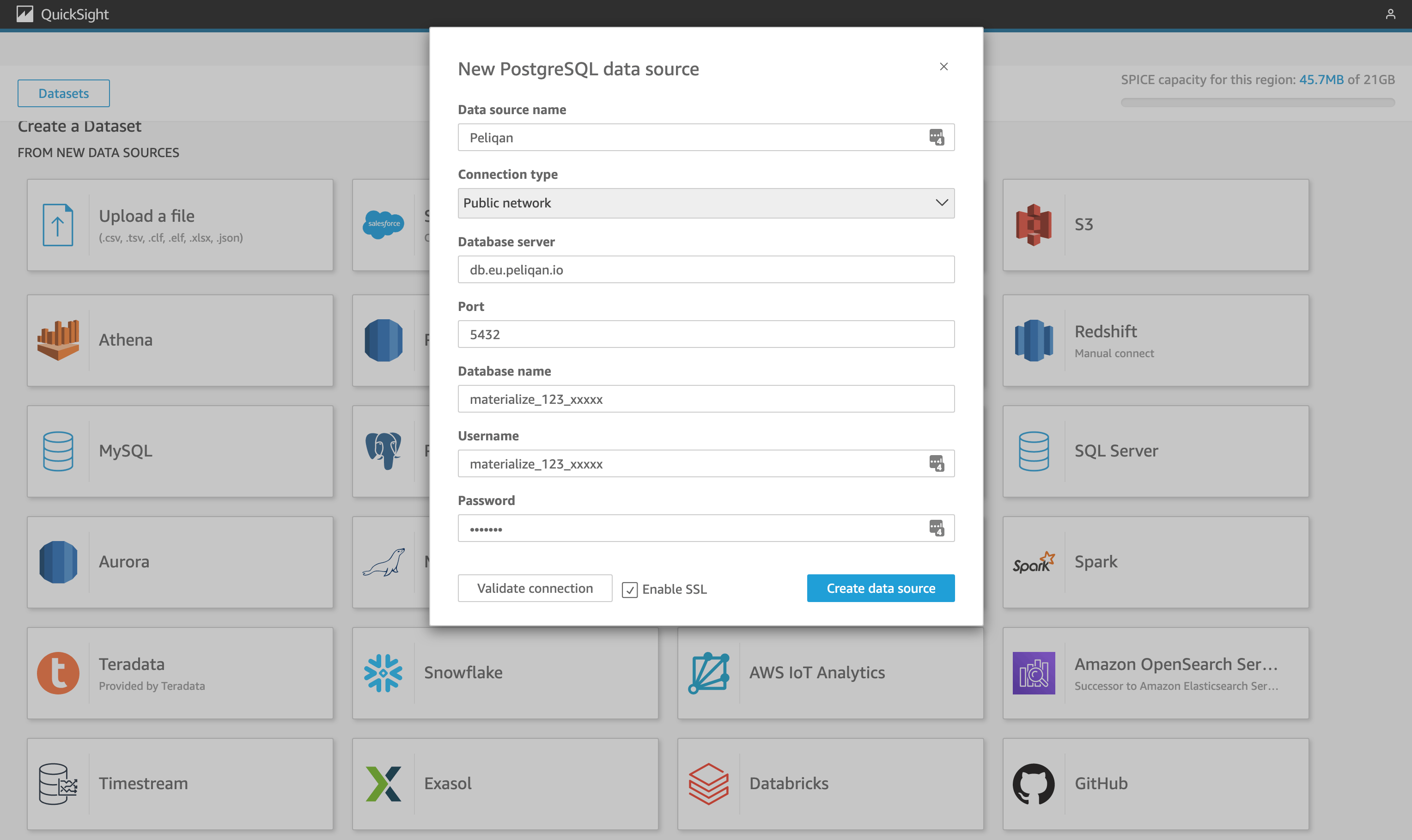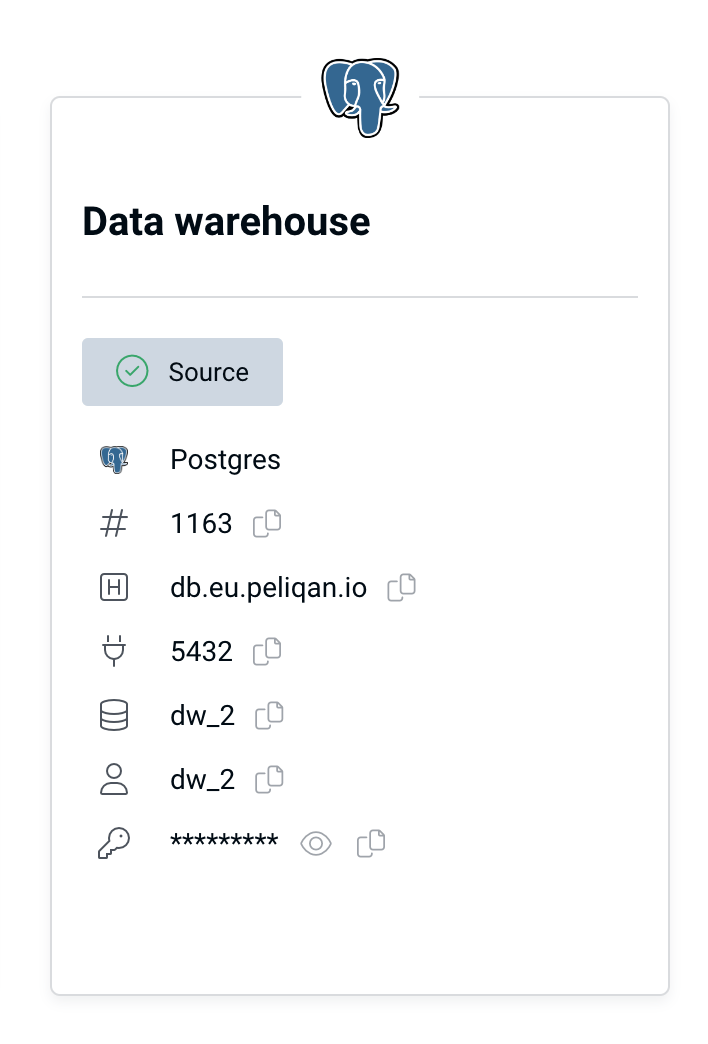
- Connection type: Postgres (default data warehouse type in Peliqan)
- Host:
- db.eu.peliqan.io
- db.mydatacloud.com
- db.us.peliqan.io
- … (check in your account under Connections > Data warehouse connection)
- Port: 5432 (for Postgres)
- User name & password: copy / paste from the Data Warehouse Connection tile (see above)
- Database name: same as the user name
- SSL: enabled