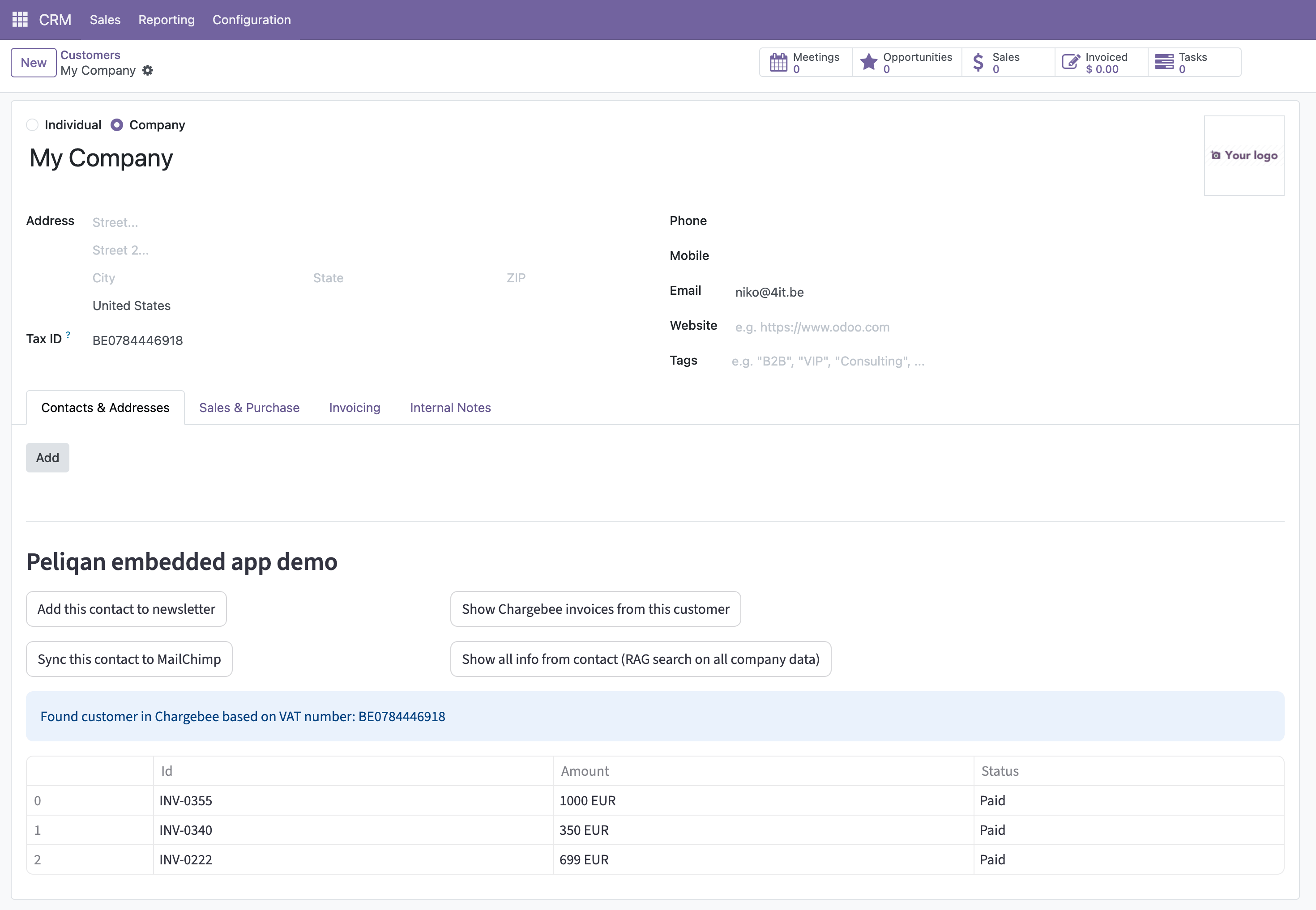
Install the module in Odoo
Unzip the above file and upload the folder to the module folder of your Odoo instance, e.g./mnt/extra-addons/iframe_embed.
In Odoo go to Apps, remove the filter for Apps only (so that modules are also visible).
Find the iframe Embed module and activate it.
Configure the module in Odoo
Go to Settings > Technical > iframe Embed (General Settings block). Set the base URL and select the model whose form view should show the iframe.
Example Peliqan app for embedding in Odoo
Below is an example app for embedding in Odoo. Note that the Odoo module will add the id of the current user (logged in into Odoo) and the id of the current object to the querystring of the URL, when the app is loaded in the iframe in Odoo: