> ## Documentation Index
> Fetch the complete documentation index at: https://help.peliqan.io/llms.txt
> Use this file to discover all available pages before exploring further.
# Postgres - Getting started in Peliqan
> Learn how to connect Postgres to Peliqan as an external database, configure SSL, create users, and grant schema and table permissions.
This article describes how to connect a Postgres database to Peliqan. This is referred to as an "external DB connection" in Peliqan, a direct DB connection is made to query data, without duplicating the data to the Peliqan data warehouse.
Note that Peliqan offers a built-in data warehouse where Postgres is one of the options. This article covers "external" Postgres DBs, not the built-in data warehouse.
## Connect Postgres
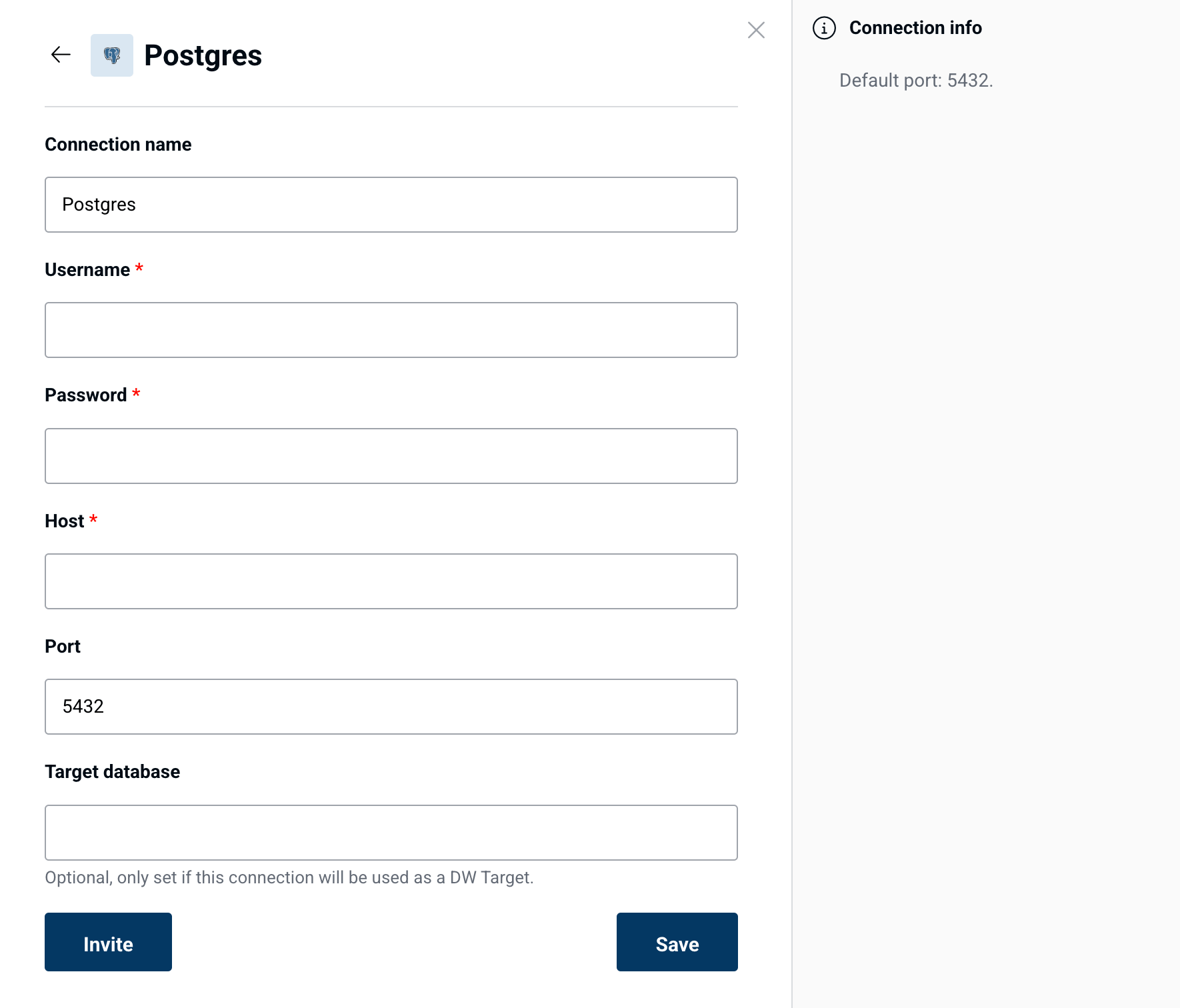
In Peliqan, go to Connections > Add Connection > Select **Postgres** in the list > Enter the details of your Postgres instance:
 ### SSL
Peliqan will connect with SSL enabled first. If that fails, Peliqan will try to connect without SSL.
### IP whitelisting
Make sure to add Peliqan's IP addresses if IP whitelisting is active on your database. More info:
[IP whitelisting](/ip-whitelisting)
## Permissions in Postgres
Make sure to configure following permissions in Postgres, so that Peliqan can discover schemas and tables in your DB.
### Create user
```sql theme={null}
CREATE USER peliqan WITH PASSWORD 'xxxxxxxxxxxxx';
```
### Grant all permissions
Grant all permissions:
```sql theme={null}
GRANT ALL PRIVILEGES ON DATABASE "mydb" to peliqan;
```
### Grant granular read-only permissions
Note: both USAGE on schema and SELECT on tables permissions are required for the peliqan user.
Grant USAGE on one schema:
```sql theme={null}
GRANT USAGE ON SCHEMA myschema TO peliqan;
```
Grant USAGE on all schemas:
```sql theme={null}
DO $$
BEGIN
EXECUTE (
SELECT string_agg(format('GRANT USAGE ON SCHEMA %I TO peliqan;', schema_name), ' ')
FROM information_schema.schemata
WHERE schema_name NOT IN ('pg_catalog', 'information_schema')
);
END;
$$;
```
Grant SELECT on all tables in a schema:
```sql theme={null}
GRANT SELECT ON ALL TABLES IN SCHEMA myschema TO peliqan;
```
Add permissions on new tables:
```sql theme={null}
ALTER DEFAULT PRIVILEGES IN SCHEMA myschema GRANT SELECT ON TABLES TO peliqan;
```
This documentation is built and hosted on [Mintlify](https://mintlify.com), a developer documentation platform.
### SSL
Peliqan will connect with SSL enabled first. If that fails, Peliqan will try to connect without SSL.
### IP whitelisting
Make sure to add Peliqan's IP addresses if IP whitelisting is active on your database. More info:
[IP whitelisting](/ip-whitelisting)
## Permissions in Postgres
Make sure to configure following permissions in Postgres, so that Peliqan can discover schemas and tables in your DB.
### Create user
```sql theme={null}
CREATE USER peliqan WITH PASSWORD 'xxxxxxxxxxxxx';
```
### Grant all permissions
Grant all permissions:
```sql theme={null}
GRANT ALL PRIVILEGES ON DATABASE "mydb" to peliqan;
```
### Grant granular read-only permissions
Note: both USAGE on schema and SELECT on tables permissions are required for the peliqan user.
Grant USAGE on one schema:
```sql theme={null}
GRANT USAGE ON SCHEMA myschema TO peliqan;
```
Grant USAGE on all schemas:
```sql theme={null}
DO $$
BEGIN
EXECUTE (
SELECT string_agg(format('GRANT USAGE ON SCHEMA %I TO peliqan;', schema_name), ' ')
FROM information_schema.schemata
WHERE schema_name NOT IN ('pg_catalog', 'information_schema')
);
END;
$$;
```
Grant SELECT on all tables in a schema:
```sql theme={null}
GRANT SELECT ON ALL TABLES IN SCHEMA myschema TO peliqan;
```
Add permissions on new tables:
```sql theme={null}
ALTER DEFAULT PRIVILEGES IN SCHEMA myschema GRANT SELECT ON TABLES TO peliqan;
```
This documentation is built and hosted on [Mintlify](https://mintlify.com), a developer documentation platform.