> ## Documentation Index
> Fetch the complete documentation index at: https://help.peliqan.io/llms.txt
> Use this file to discover all available pages before exploring further.
# Medallion architecture
The **Medallion architecture** is a data design pattern used in data platforms that organizes data into progressive quality layers, typically **Bronze → Silver → Gold**. Each layer represents increasing levels of cleansing, structure, and business value.
Peliqan fully supports building up a Medallion architecture, as described in this article.
# The layers
### Bronze
Raw data from data sources:
* Tables created by the Peliqan ELT pipelines
* Raw tables from connected databases
### Silver
Cleaned & structured data:
* Schema enforcement (e.g. column selection)
* Data normalization (e.g. unified VAT numbers for customer records from a CRM)
* Deduplication
* Basic joins and transformations
This layer becomes the **reliable analytical data.**
### Gold
Business ready data:
* Aggregated tables
* KPIs and metrics
* Dimensional models (e.g. [star schema](/star-schema))
* Data optimized for BI tools like Power BI and Metabase
This layer serves **dashboards, ML features, reporting, AI Chatbots and AI Agents**
# How to implement a Medallion architecture in Peliqan
Data transformations are implemented in Peliqan using a combination of SQL queries and low-code Python scripts. Both can be implemented with the support of Peliqan’s AI Data Engineer.
The bronze layer consists the raw tables from e.g. ELT pipelines (SaaS connections).
The silver layer and golden layer is implemented using SQL queries, and optionally Python scripts (Data apps).
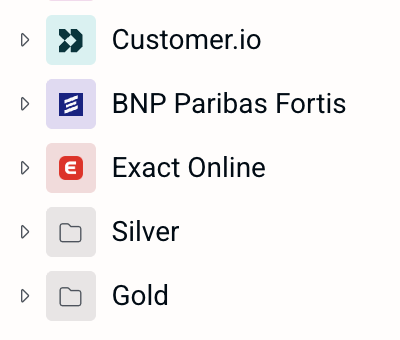
SQL queries are typically grouped in a schema called “Silver” and “Gold”.
Example using schema’s, the ELT target schemas are the bronze layer:
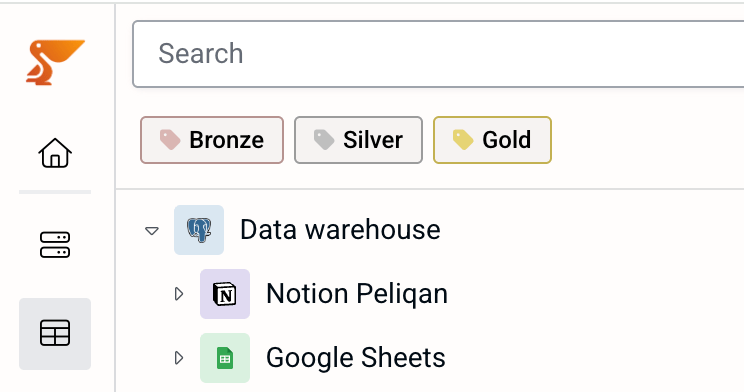
 However, you can also use Peliqan’s labels to group queries into Bronze, Silver and Gold layers, e.g. when you want to use multiple schemas within one layer.
Example using labels:
However, you can also use Peliqan’s labels to group queries into Bronze, Silver and Gold layers, e.g. when you want to use multiple schemas within one layer.
Example using labels:
 Transformations are implemented in a query, which can optionally be materialized (table replication). More info:
[Materialize & Replicate](/materialize)
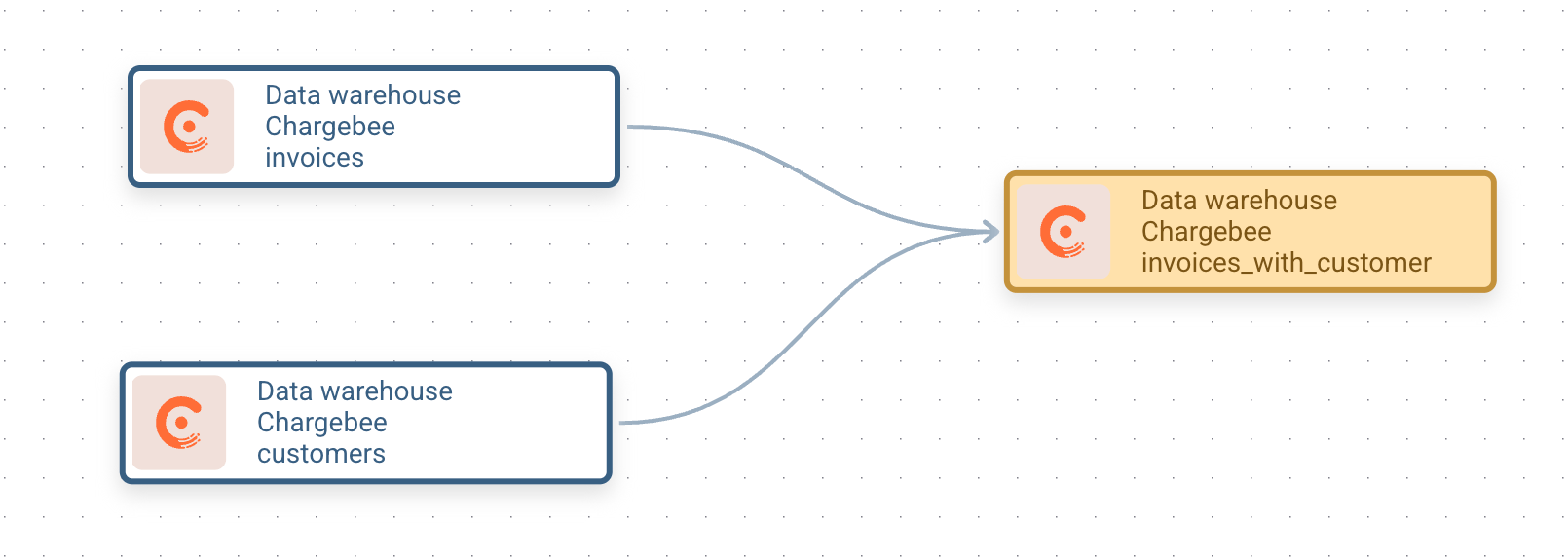
Queries in the next layer consume layers in the layer below. See examples below. Peliqan’s data lineage helps to keep track of the dependency between queries:
Transformations are implemented in a query, which can optionally be materialized (table replication). More info:
[Materialize & Replicate](/materialize)
Queries in the next layer consume layers in the layer below. See examples below. Peliqan’s data lineage helps to keep track of the dependency between queries:
 ### Simplified example of queries in Silver and Gold layer
Examples tables in the Bronze layer (from ELT pipelines):
```sql theme={null}
exact_online.customers
exact_online.sales_invoices
```
Example queries in the Silver layer with column selection, normalizing VAT numbers etc:
```sql theme={null}
-- query "customers" in Silver layer
SELECT
id AS customer_id,
name AS customer_name,
city AS customer_city,
REPLACE(vat, '.', '') AS customer_vat
FROM exact_online.customers # ELT pipeline target table (bronze layer)
-- query "invoices" in Silver layer
SELECT
id AS invoice_id,
amount AS invoice_amount,
customer_id AS invoice_customer_id
FROM exact_online.sales_invoices
-- query "customer_revenue" in Silver layer
SELECT * FROM silver.customers c
LEFT JOIN silver.invoices i ON
c.id = i.invoice_customer_id
```
Example query in the Gold layer:
```sql theme={null}
-- query "customer_revenue" in Gold layer
SELECT
SUM(invoice_amount),
customer_id
FROM silver.customer_revenue
GROUP BY customer_id
```
The queries in the Gold layer are typically configured as “Views” to make them visible for external consumers, e.g. a BI tool.
This documentation is built and hosted on [Mintlify](https://mintlify.com), a developer documentation platform.
### Simplified example of queries in Silver and Gold layer
Examples tables in the Bronze layer (from ELT pipelines):
```sql theme={null}
exact_online.customers
exact_online.sales_invoices
```
Example queries in the Silver layer with column selection, normalizing VAT numbers etc:
```sql theme={null}
-- query "customers" in Silver layer
SELECT
id AS customer_id,
name AS customer_name,
city AS customer_city,
REPLACE(vat, '.', '') AS customer_vat
FROM exact_online.customers # ELT pipeline target table (bronze layer)
-- query "invoices" in Silver layer
SELECT
id AS invoice_id,
amount AS invoice_amount,
customer_id AS invoice_customer_id
FROM exact_online.sales_invoices
-- query "customer_revenue" in Silver layer
SELECT * FROM silver.customers c
LEFT JOIN silver.invoices i ON
c.id = i.invoice_customer_id
```
Example query in the Gold layer:
```sql theme={null}
-- query "customer_revenue" in Gold layer
SELECT
SUM(invoice_amount),
customer_id
FROM silver.customer_revenue
GROUP BY customer_id
```
The queries in the Gold layer are typically configured as “Views” to make them visible for external consumers, e.g. a BI tool.
This documentation is built and hosted on [Mintlify](https://mintlify.com), a developer documentation platform.