> ## Documentation Index
> Fetch the complete documentation index at: https://help.peliqan.io/llms.txt
> Use this file to discover all available pages before exploring further.
# Data warehouse
> Learn how Peliqan's built-in Postgres data warehouse works, how to connect your own data warehouse, and how to materialize SQL queries to tables.
Peliqan has a built-in data warehouse, based on Postgres. By default the built-in data warehouse will be used, for example when you add a connection to a SaaS application.
When you add a SaaS connection, Peliqan will set up an ETL pipeline and it will start syncing data from your SaaS application into the data warehouse. Peliqan will create a schema per SaaS connection, for example a schema "hubspot" when you connect Hubspot (CRM). A schema is a logical grouping of tables, it's like a folder under a database.
You can also add a connection to your existing data warehouse. Peliqan supports following data warehouses as target for ETL pipelines:
* Postgres
* Snowflake
* AWS Redshift
* Google GCP BigQuery
* Microsoft SQL Server (Azure)
## Connect to your Peliqan data warehouse from a BI tool or DB tool or from code
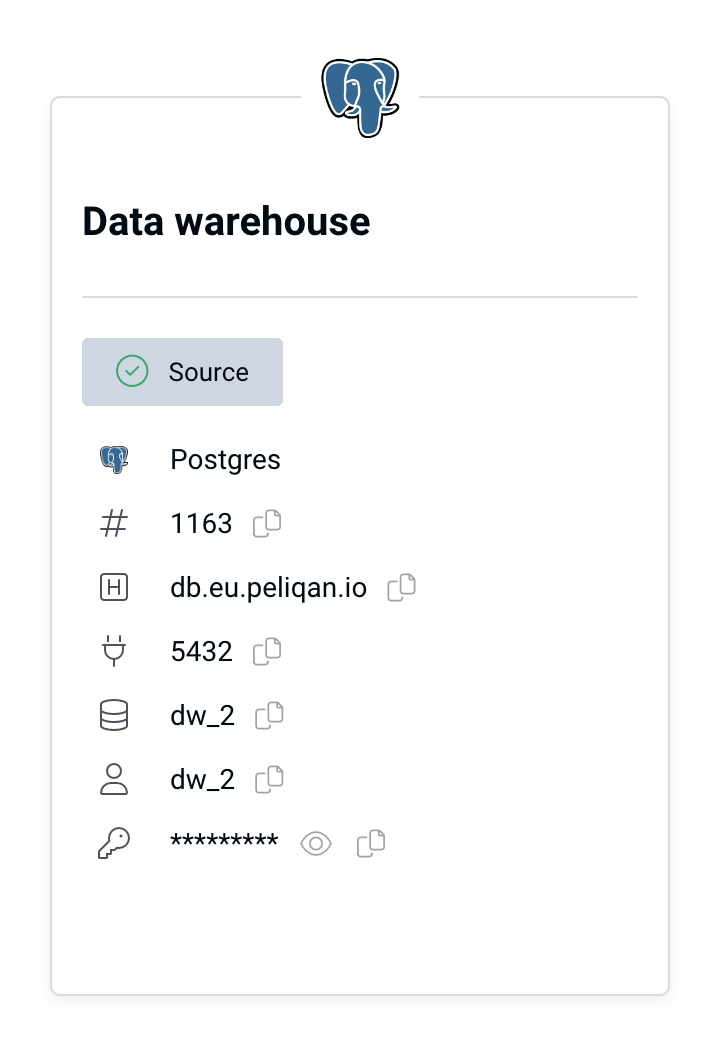
If you want to connect to Peliqan's built-in data warehouse, go to Connections in Peliqan, find the Data Warehouse card and copy paste all connection details.
 More info:
[Connect your BI, DB tool or iPaaS](/connect-your-bi-or-db-tool)
## Use your own data warehouse
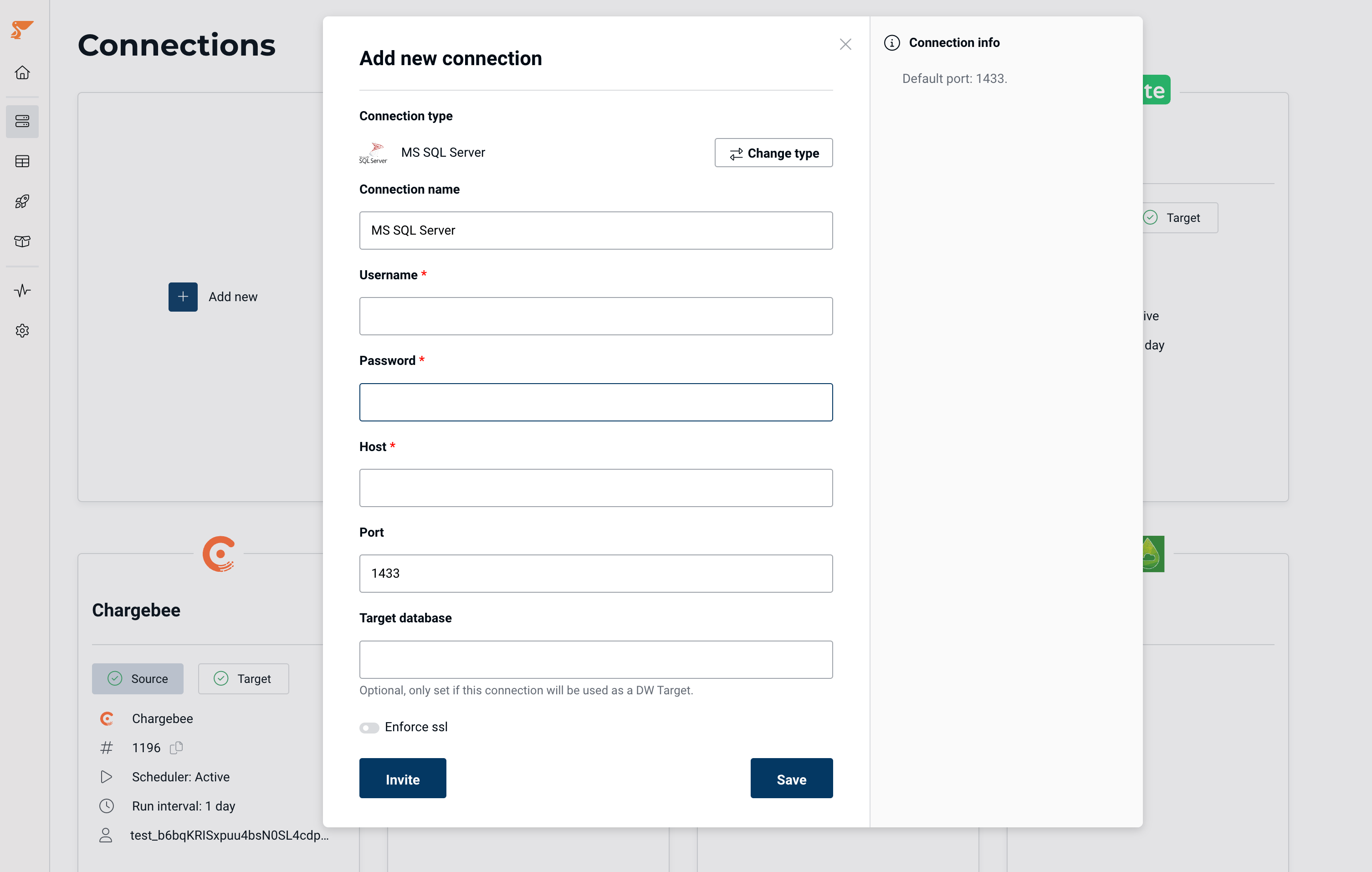
In order to connect an external data warehouse: in Peliqan, go to Connections and click on Add Connection. Find your data warehouse in the list, for example SQL Server. Add connection details, and make sure to fill in the **Target Database** name. This will turn the connection into a target data warehouse.
More info:
[Connect your BI, DB tool or iPaaS](/connect-your-bi-or-db-tool)
## Use your own data warehouse
In order to connect an external data warehouse: in Peliqan, go to Connections and click on Add Connection. Find your data warehouse in the list, for example SQL Server. Add connection details, and make sure to fill in the **Target Database** name. This will turn the connection into a target data warehouse.
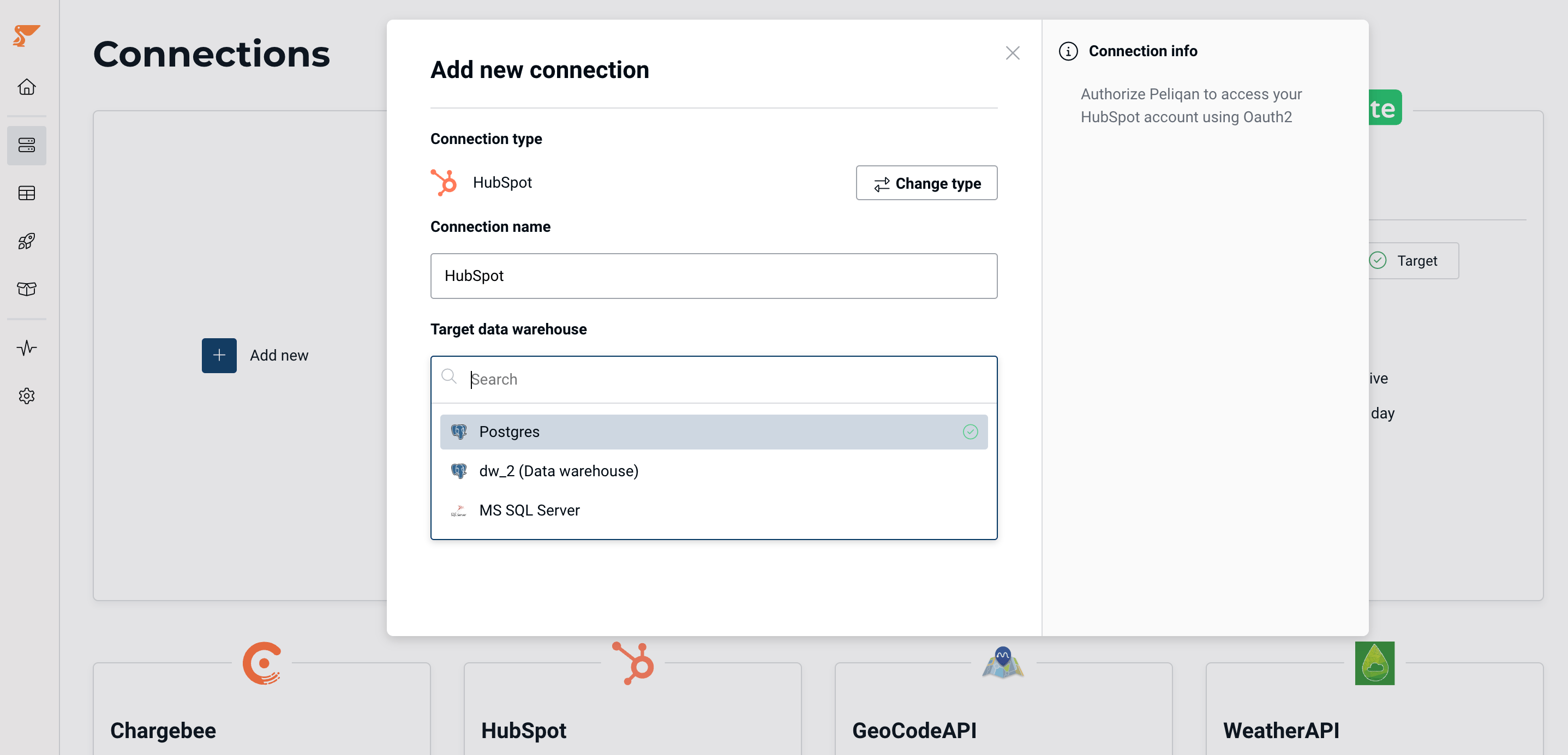
 Now when you add a SaaS connection (CRM, ERP, accounting etc.) you will be able to choose between the Peliqan built-in DW and your DW as the target. Example with 3 target data warehouses configured (Postgres internal, Postgres external and SQL Server):
 ### IP whitelisting
You can restrict access to your data warehouse by whitelisting IP addresses from Peliqan. More info:
[IP whitelisting](/ip-whitelisting)
## Materialize SQL queries in the data warehouse and replicate tables
You can materialize any SQL query into a new table in the built-in data warehouse or your connected data warehouse. The materialized table will be updated on a schedule. This can be done with any SQL query:
* SQL query on a connected DB
* SQL query executed via Peliqan's federated query engine Trino (SQL queries across sources)
* SQL query on the data warehouse itself
Similarly, you can replicate any table from an external DB or DWH into the built-in data warehouse or your connected data warehouse.
More info:
[Materialize & Replicate](/materialize)
This documentation is built and hosted on [Mintlify](https://mintlify.com), a developer documentation platform.
### IP whitelisting
You can restrict access to your data warehouse by whitelisting IP addresses from Peliqan. More info:
[IP whitelisting](/ip-whitelisting)
## Materialize SQL queries in the data warehouse and replicate tables
You can materialize any SQL query into a new table in the built-in data warehouse or your connected data warehouse. The materialized table will be updated on a schedule. This can be done with any SQL query:
* SQL query on a connected DB
* SQL query executed via Peliqan's federated query engine Trino (SQL queries across sources)
* SQL query on the data warehouse itself
Similarly, you can replicate any table from an external DB or DWH into the built-in data warehouse or your connected data warehouse.
More info:
[Materialize & Replicate](/materialize)
This documentation is built and hosted on [Mintlify](https://mintlify.com), a developer documentation platform.