> ## Documentation Index
> Fetch the complete documentation index at: https://help.peliqan.io/llms.txt
> Use this file to discover all available pages before exploring further.
# Currency conversions
When you have transactions, invoices or bookings in multiple currencies, it’s important to convert these into a single currency before doing aggregations. For example you might want to calculate total revenue per month, with sales being done in multiple currencies.
The challenge is to convert currencies with the ***exchange rate of the day of the transaction***.
# Step 1: import exchange rates
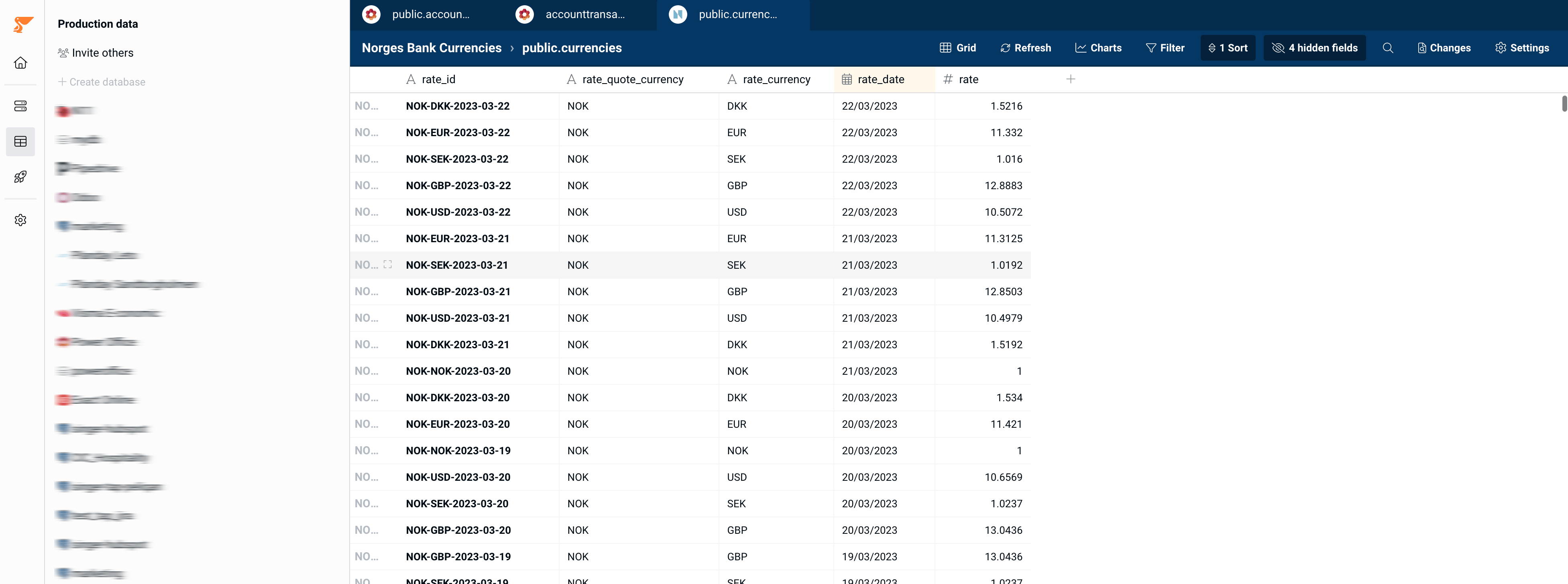
Go to Connections, and add a connection to one of the currency exchange rates connectors, for example Norway Bank (Norges bank).
This will sync a table into your account with exchange rates:
 # Step 2: join your transactions with the exchange rates
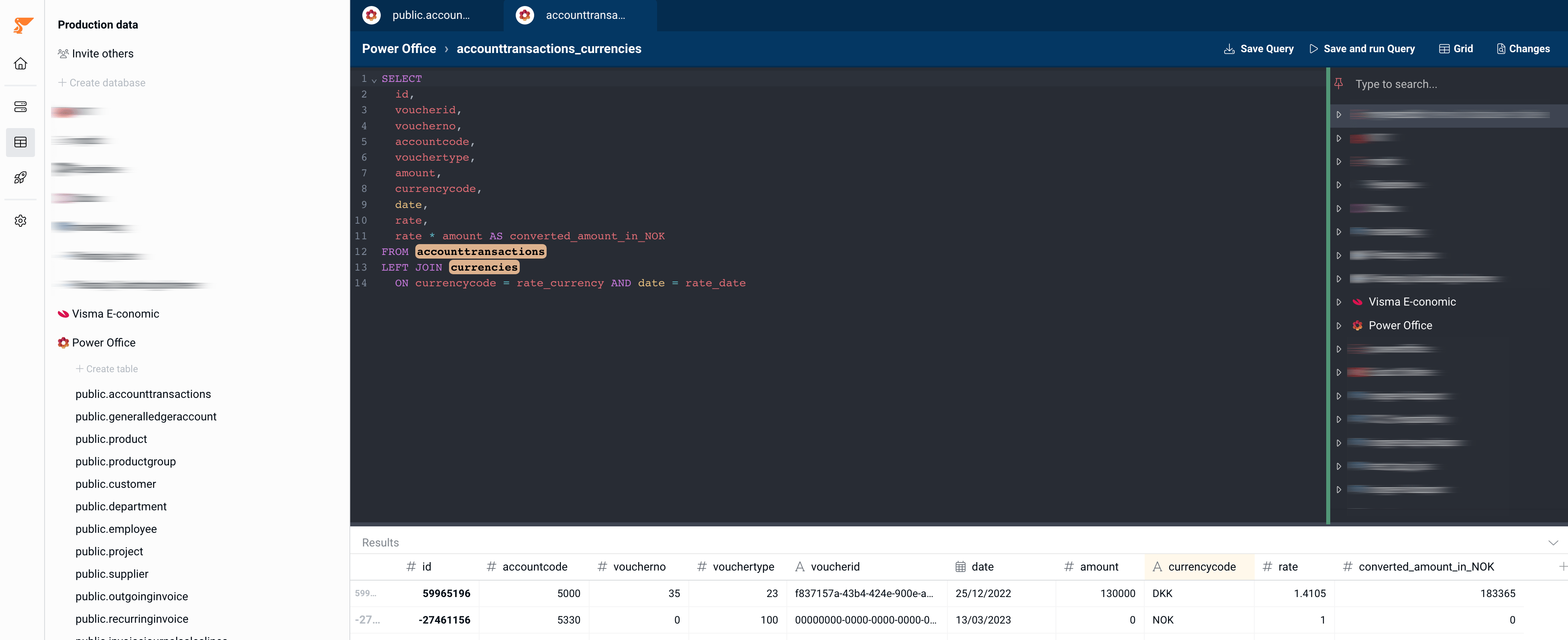
Write a query that joins your transactions on the currency exchange rates.
* Make sure to perform a LEFT join and ***not*** an INNER JOIN, to make sure that no transactions would be left out because of a missing matching record in the currency exchange table.
* Make sure to join on both the currency ***and*** the date of the transaction.
* Add a column with the converted amount: `transaction amount x rate` from the currencies table
Example query:
```sql theme={null}
SELECT
transactions.*,
transactions.amount * rate AS converted_amount
FROM transactions
LEFT JOIN currencies
ON transactions.currencycode = rate_currency AND transactions.date = rate_date
```
# Step 2: join your transactions with the exchange rates
Write a query that joins your transactions on the currency exchange rates.
* Make sure to perform a LEFT join and ***not*** an INNER JOIN, to make sure that no transactions would be left out because of a missing matching record in the currency exchange table.
* Make sure to join on both the currency ***and*** the date of the transaction.
* Add a column with the converted amount: `transaction amount x rate` from the currencies table
Example query:
```sql theme={null}
SELECT
transactions.*,
transactions.amount * rate AS converted_amount
FROM transactions
LEFT JOIN currencies
ON transactions.currencycode = rate_currency AND transactions.date = rate_date
```
 # Step 3: check the result
Double check if any converted amounts are missing:
# Step 3: check the result
Double check if any converted amounts are missing:
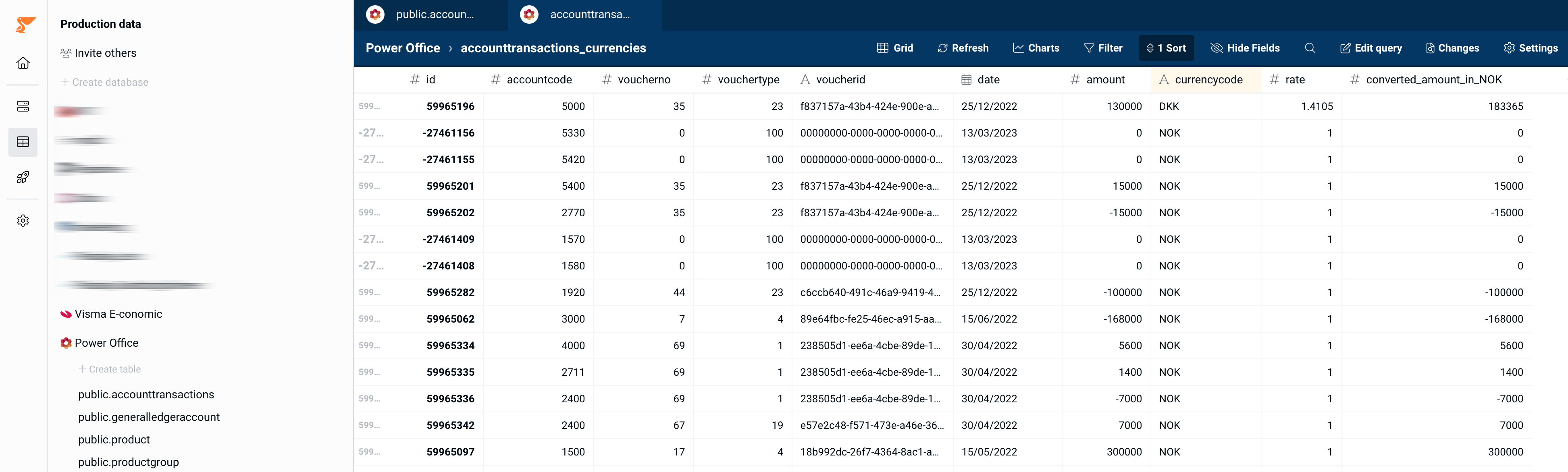 If OK, use this table going forward in your aggregations, charts etc.
This documentation is built and hosted on [Mintlify](https://mintlify.com), a developer documentation platform.
If OK, use this table going forward in your aggregations, charts etc.
This documentation is built and hosted on [Mintlify](https://mintlify.com), a developer documentation platform.