> ## Documentation Index
> Fetch the complete documentation index at: https://help.peliqan.io/llms.txt
> Use this file to discover all available pages before exploring further.
# Azure blob storage - Getting started in Peliqan
> Learn how to connect Azure Blob Storage to Peliqan using a SAS token and list or download files using Python scripts.
This article provides an overview to get started with the **Azure blob storage** connector in **Peliqan**. Please [contact support](https://peliqan.io/contact) if you have any additional questions or remarks.
## Authentication
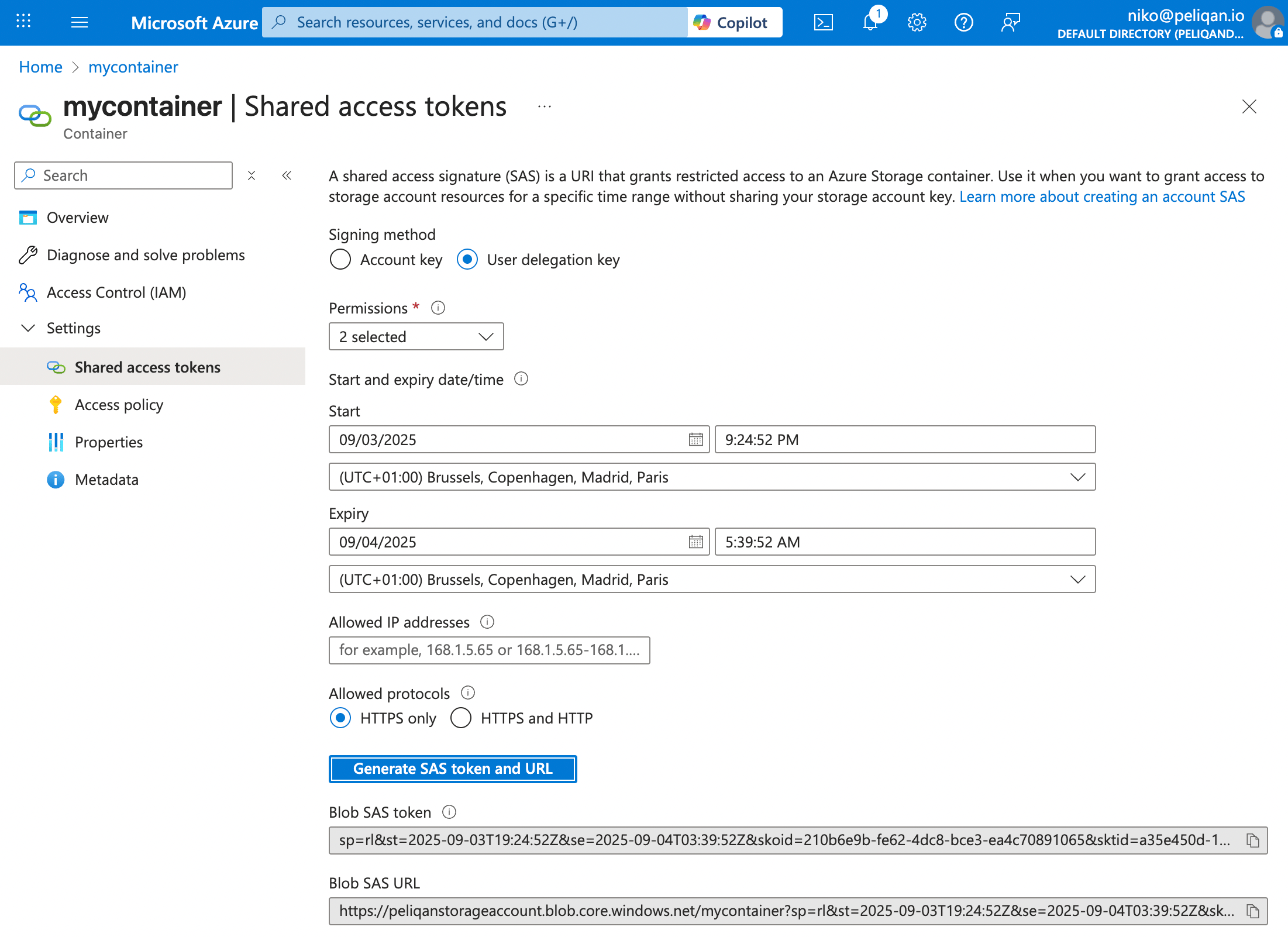
Create a SAS token (SAS = Shared Access Signature) on the blob container in Azure, of type "User delegation key".
In Azure go to Storage accounts > choose an account > Data Storage > Containers > choose a container.
Left menu under Settings > Shared access tokens.
* Signing method: User delegation key
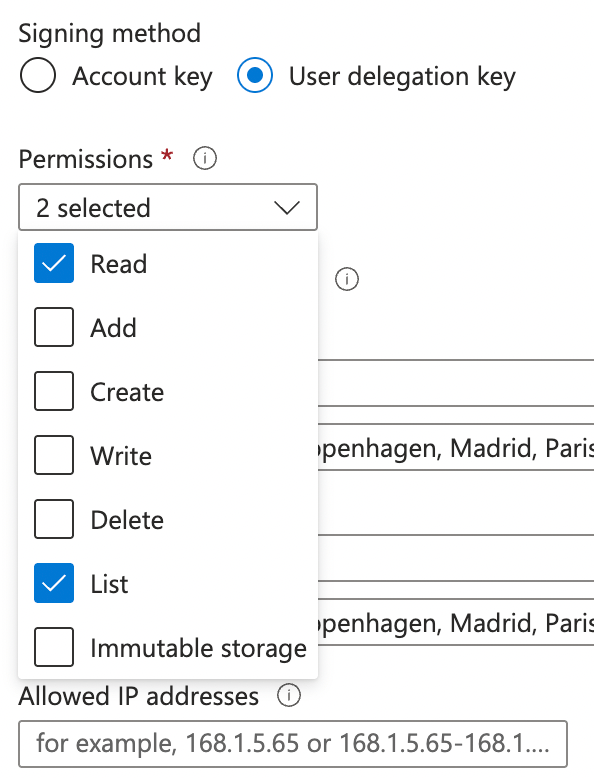
* Permissions: select Read AND List
* Expiry: choose date in the future
Click on "Generate SAS token and URL". Copy the Blob SAS token.
 ## Handling files
Example custom pipeline script to list files (blobs) in a container and download a file:
```python theme={null}
azure_blob_storage_api = pq.connect('Azure blob storage')
result = azure_blob_storage_api.get('files')
st.json(result)
file_contents = azure_blob_storage_api.get('downloadfile', path = "myfolder/myfile.csv")
st.write(file_contents)
```
This documentation is built and hosted on [Mintlify](https://mintlify.com), a developer documentation platform.
## Handling files
Example custom pipeline script to list files (blobs) in a container and download a file:
```python theme={null}
azure_blob_storage_api = pq.connect('Azure blob storage')
result = azure_blob_storage_api.get('files')
st.json(result)
file_contents = azure_blob_storage_api.get('downloadfile', path = "myfolder/myfile.csv")
st.write(file_contents)
```
This documentation is built and hosted on [Mintlify](https://mintlify.com), a developer documentation platform.